FlowFuse expert action links
When interacting with the FlowFuse expert, you might be asked to search flows, select a node, or edit a node. Previously, this was presented as a set of text instructions. As of today, whenever possible, the Expert will provide clickable action links that will perform the operation for you.
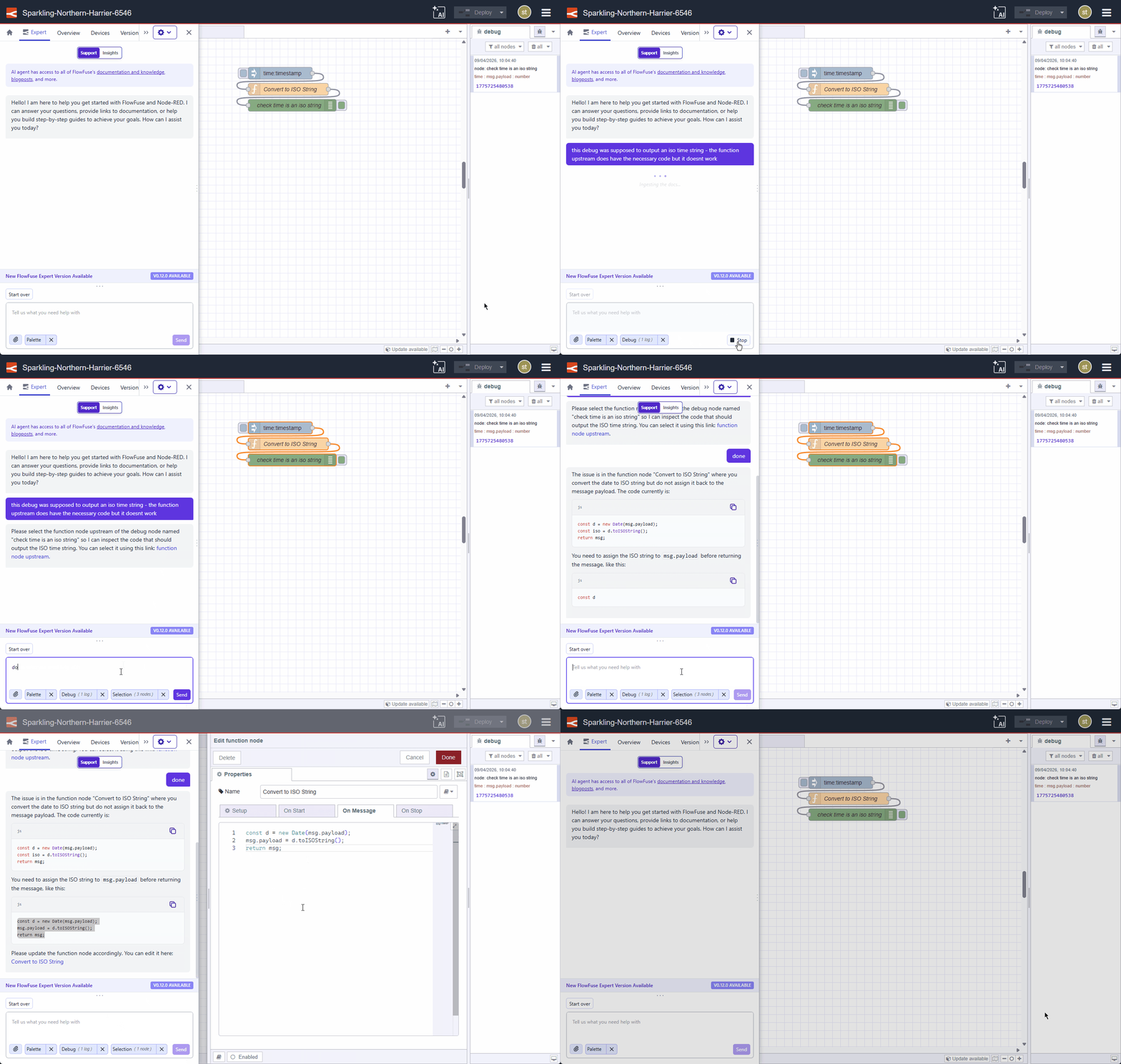 Selecting and editing nodes.
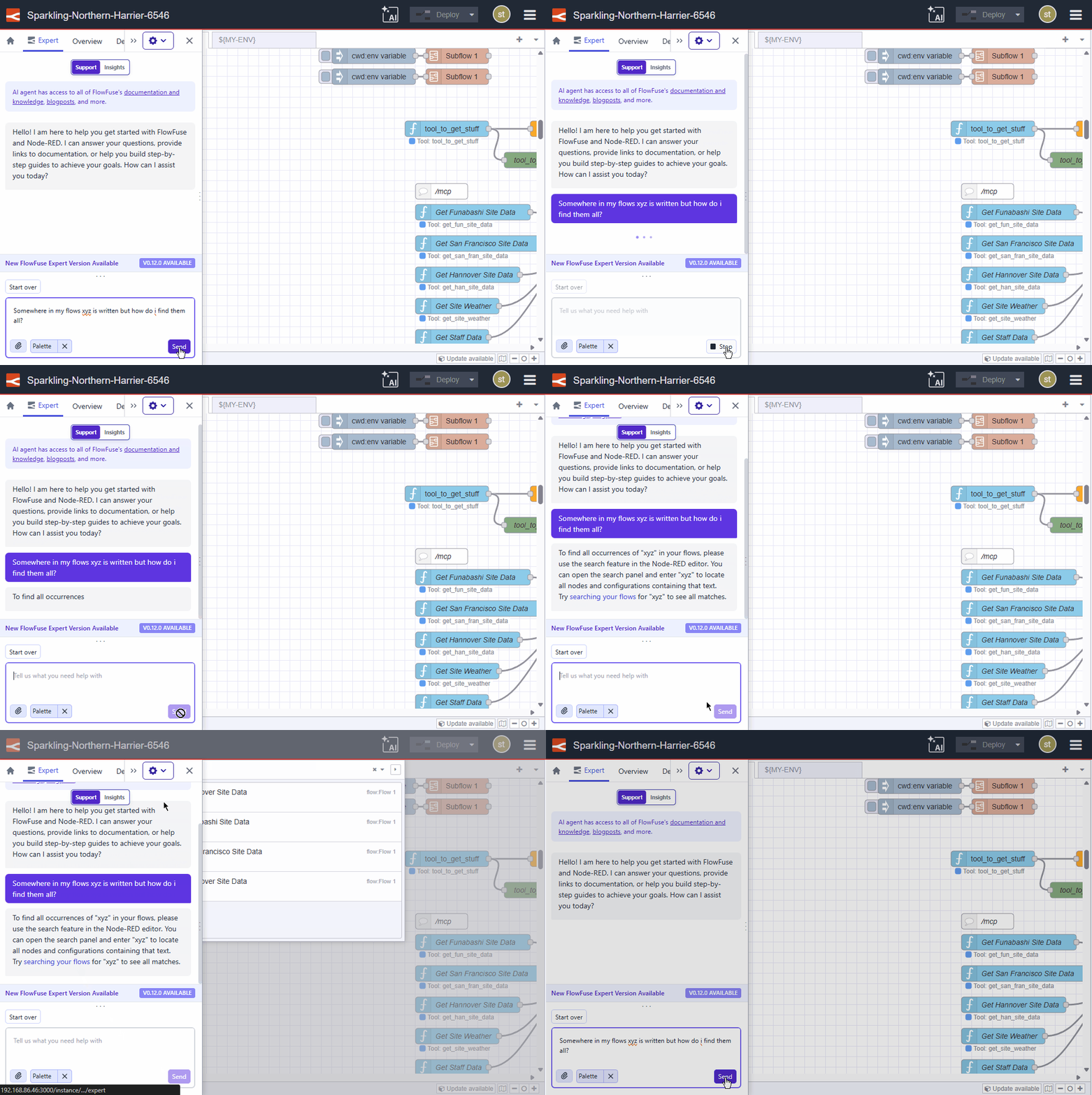 Searching your flows
This feature requires Node-RED Assistant v0.12.0 or later.
This change is live on FlowFuse Cloud. Self-Hosted users will receive it in the next release (v2.29).
Written By:
Senior Software Developer
Published on:
Recent Updates:
- Connect your own AI agent to FlowFuse
- Theme Presets for Dashboard
- Date & Time Columns for Tables
- Getting started with FlowFuse straight from the terminal
- FlowFuse Expert Can Now Work With Your Tables